gz
Google注音輸入法我試了一下感覺還不錯,中文輸入部分有注音、倉頡、手寫、拼音四種,大致上符合一般需求,畢竟手寫在IQQI上是要付費的功能,同樣具有手寫的整合式中文輸入法大概就百資了(其他那種還要額外下載元件的不符合我的喜好XD),不過它的介面在我看來不如Google注音來的順眼就是了,現在我們來談談如何整合。
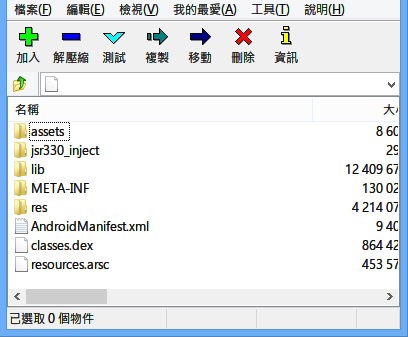
一般的處理方式當然就是直接把apk丟進system\app裡(請記得刪除其他輸入法),我第一次也是這樣做,結果開機後中文鍵盤就fc了,於是我就用7z開啟apk看一下結構,發現
 
lib......口亨口亨口亨,根據我以往的經驗來看,需要把lib裡面的so檔取出來丟進system\lib裡,於是點進去看

Error001 發表在 痞客邦 留言(0) 人氣()

參照http://bbs.duba.net/thread-22946756-2-1.html提供的臨時解決方案製作
下載:https://mega.co.nz/#!wFcxVIbC!bAR3HFUidth08ztQ8kmB-Fa1HsoypzPvD3GIXpCfzGI
解壓縮後執行Block_CryptoLocker.bat,欲解除請執行Unblock_CryptoLocker.bat。

Error001 發表在 痞客邦 留言(0) 人氣()

AC!D Light 刷上去後,聽音樂會感覺聲音變得比較有立體感,裡面包了一些知名廠商的音效渲染元件,例如Beats Audio跟Sony Clear Audio,MOD裡還有附一個EQ,需用音樂播放器去調用。
下載
PS:有些機器刷此類音效強化MOD上去後有在音樂的開頭跟結尾會聽到明顯的底噪,估計是一些so跟audio_effects.conf裡面的參數影響,可能要手動修改測試,我的Inhon G1手動修改後在音樂開頭跟結尾就沒有聽到明顯底噪。

Error001 發表在 痞客邦 留言(0) 人氣()

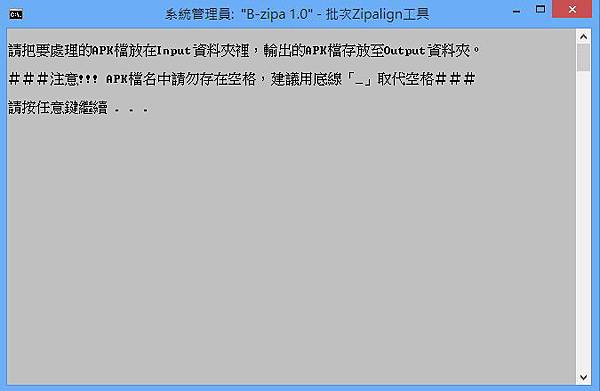
b-zipa
Apk優化工具BJ4,原理請自行google。

 
下載 https://mega.co.nz/#!VJ8zVYAI!Hhsx9mPm1AAt4s3qHBDxEGTR3yZ_jnh6PmQGHjy9WJM

Error001 發表在 痞客邦 留言(0) 人氣()

想要中文手寫輸入法的人可以考慮,cwm直刷包。ICS(4.0)& JB(4.1)使用正常。
https://mega.co.nz/#!dZ1BRBRR!Up1nWym1lnR4UpJRkRm-TxxztShtXJq-L82tKekGwwc

Error001 發表在 痞客邦 留言(0) 人氣()

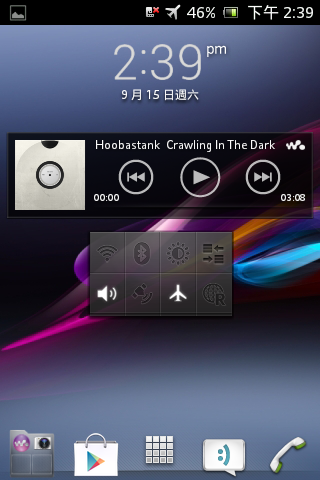
Screenshot_2012-09-15-14-39-10
from xda: http://forum.xda-developers.com/showthread.php?t=2369915
change log:
1.替換原廠中文鍵盤

Error001 發表在 痞客邦 留言(0) 人氣()

V4A
請先確定Rom的系統版本與手機為相同系統版本,否則可能整合後無法直接啟用效果,首先先要下載ViPER4Android(簡稱V4A)的apk,裝上去並選擇CPU類型重開機確定能正常使用效果後,就開始進行以下步驟。
1.把V4A的apk檔丟進Rom所在的data資料夾裡(Rom無data資料夾可用CMate的app新增功能進行此步驟)。
2.把so檔丟到system\lib\soundfx\裡,請用root explorer之類的工具先從你的手機裡取出(同樣位於此路徑)。
3.到手機的system\etc\裡把audio_effects.conf取出,放到Rom的system\etc\裡。

Error001 發表在 痞客邦 留言(0) 人氣()

更新囉
http://download.pchome.net/multimedia/media/detail-10544.html

Error001 發表在 痞客邦 留言(0) 人氣()

在我的Legend上測試略有改善底噪,其他機器效果如何我不知道。
From XDA: http://forum.xda-developers.com/showthread.php?t=2293589
Who doesn't love music?
I'm sure of 7,000,000,000 people on this planet, all of them listen to music in one way or another!
We have our small smartphone to listen to our favorite songs, but the quality of the songs don't always reflect our expectations...
That's why I developed this new Audio Engine nicknamed Pure™. Pure because with this mod you will be putting all the values ​​and the libraries in the system with the settings that normally uses a DJ, so listen to all the music that musicians design (that you can not feel 100% because the average quality of the audio is mainly low)
This mod is the set of the most famous equalizers (Beats, xLoud, Sony Audio) modified to perfection to get the maximum quality from any type of condition! We performed the test with the stock headphones coming out in conjunction with the phone, and with in-hear headphones Sony MDR-EX10... With both we achieved a sensitivity of low noise, low closed, and crystal clear sound... end with presentations, I leave to the features 
Error001 發表在 痞客邦 留言(0) 人氣()

好聽的翻唱

Error001 發表在 痞客邦 留言(0) 人氣()

自從官網出問題後,這應該是第2次更新。
http://download.pchome.net/multimedia/media/detail-10544.html

Error001 發表在 痞客邦 留言(0) 人氣()

適用於網路商店從產品官網擷取規格或資訊之類的用途

利用Chrome瀏覽器搭配擴充元件達成網頁截圖或局部截圖
在擴充元件圖示上按滑鼠右鍵-設定 可以選擇儲存的圖片格式
擴充元件Webpage Screenshot
下載位址:http://www.webpagescreenshot.info/

Error001 發表在 痞客邦 留言(0) 人氣()

Blog Stats
⚠️

成人內容提醒

本部落格內容僅限年滿十八歲者瀏覽。
若您未滿十八歲,請立即離開。

已滿十八歲者,亦請勿將內容提供給未成年人士。